

Nightly count and usage
Count dough
Section titled “Count dough”At the time set in the console (ten in the evening unless you change it) the Count dough sheet opens by itself as soon as nothing else is open. The header button shows a dot while a count is due, and a dismissed count comes back after two minutes without a touch.
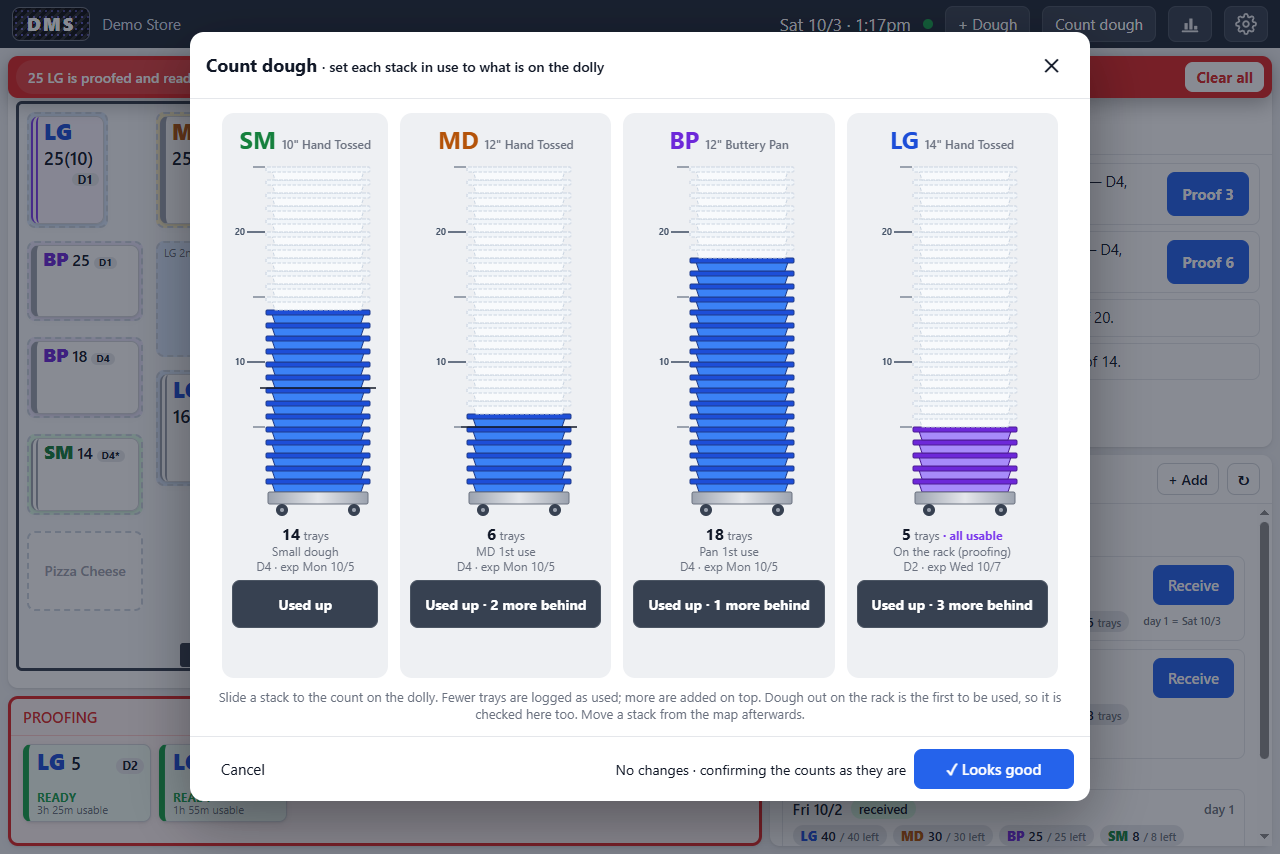
Each size gets a column showing the stack in use as a gauge, coloured by its status. For each one:
- Slide the gauge to the number of trays actually on the dolly. Fewer trays than DMS expected are logged as used “by count”; more are logged as found.
- If that stack is gone, tap Used up · N more behind and the next stack behind it comes forward to be counted. Put back undoes that.
Dough on the rack is counted here too, since it is the first to be used. Nothing is saved until ✓ Looks good; Cancel throws the draft away. If a stack needs to move on the map, do that afterwards.
The bar-chart button in the header opens the dough sheet. The Usage tab shows, for each business day, how many trays of each size were used, as gauges that fill twenty-five trays at a time.
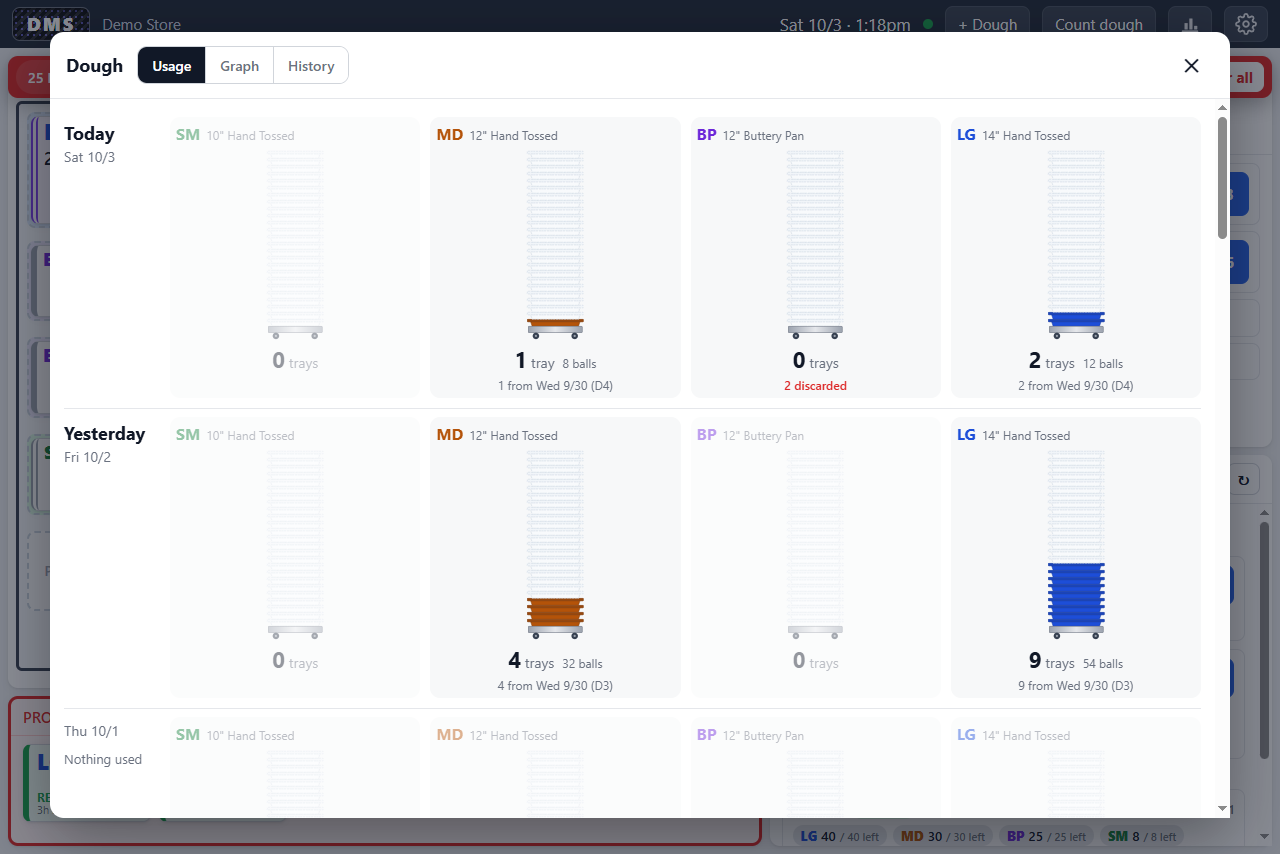
- The bands are shaded by dough date, and the lines under each gauge say where the trays came from: “9 from Wed 9/30 (D3)”, “12 by count”, “+3 found at count”.
- Discards are listed in red under the gauge and never counted as used.
- The day rolls over at the store’s closing time, so a tray taken at half past midnight counts toward the night before.
- It updates live, an Undo subtracts from the day, and it keeps fourteen days.
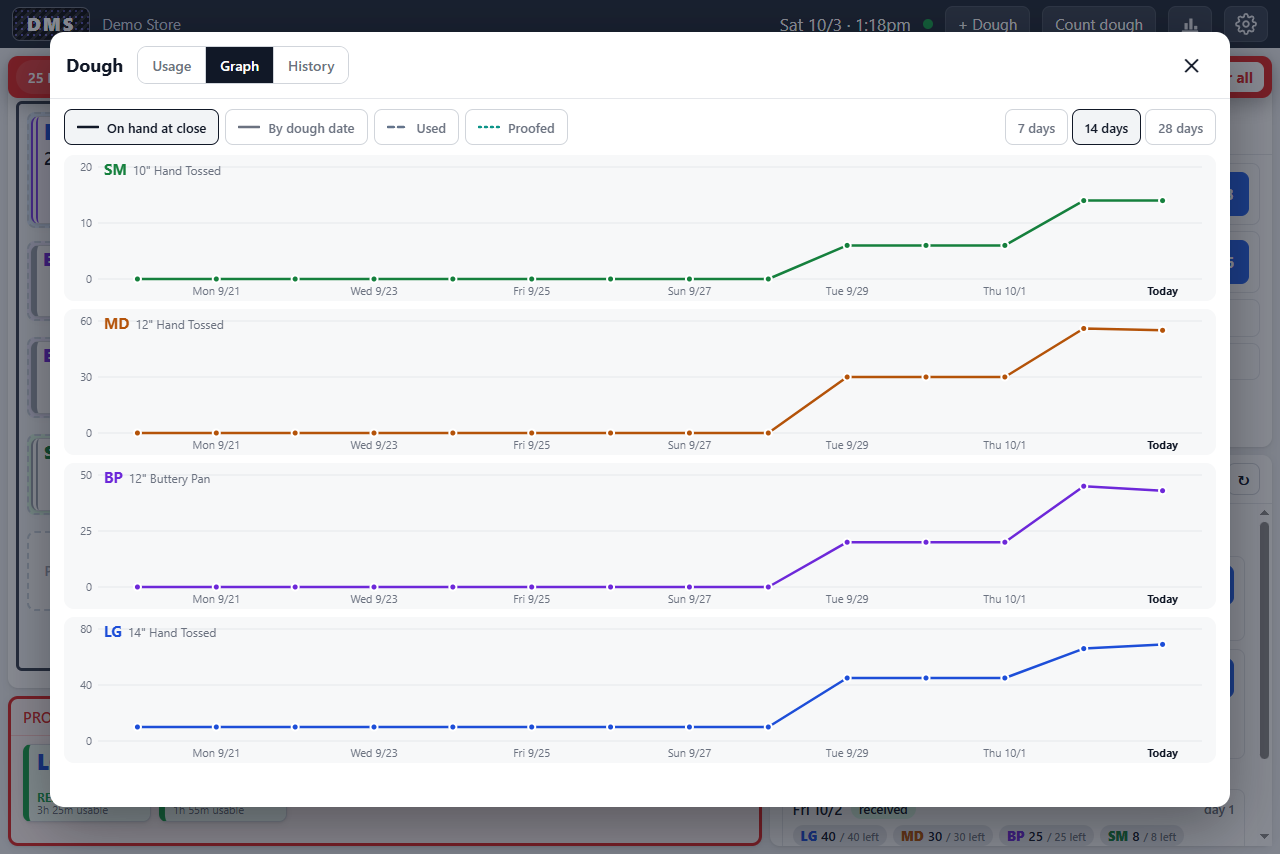
The Graph tab plots, per size, the trays on hand at close over the last 7, 14, or 28 days. Switch on the dashed Used and dotted Proofed lines to compare. By dough date marks each delivery’s last usable day instead, with a red dot where dough was still on hand past it. Tap or slide along the graph to read a day.
History
Section titled “History”The History tab is the event log: every receive, move, proof, take, count, and discard, newest first.